VIDEO · 2026
Opus 5.5 Built a Math Game Kids Get Hooked On, in 40 Minutes
A ~5-minute video (Chinese narration) with a full write-up. I started from a tweet video and gave the AI (Opus 5.5) just one sentence. The first version was ready in 13 minutes. In under 40 minutes, the kids' math game 「嗨算!」 was live on my homepage. This article explains how it was made and how the AI caught its own mistakes. It also asks whether over-the-top practice games are actually good for kids.
Chinese narration · 720p · captions track (zh) · MP4
Article: In Under 40 Minutes, I Had AI Build a Math Game from a Tweet
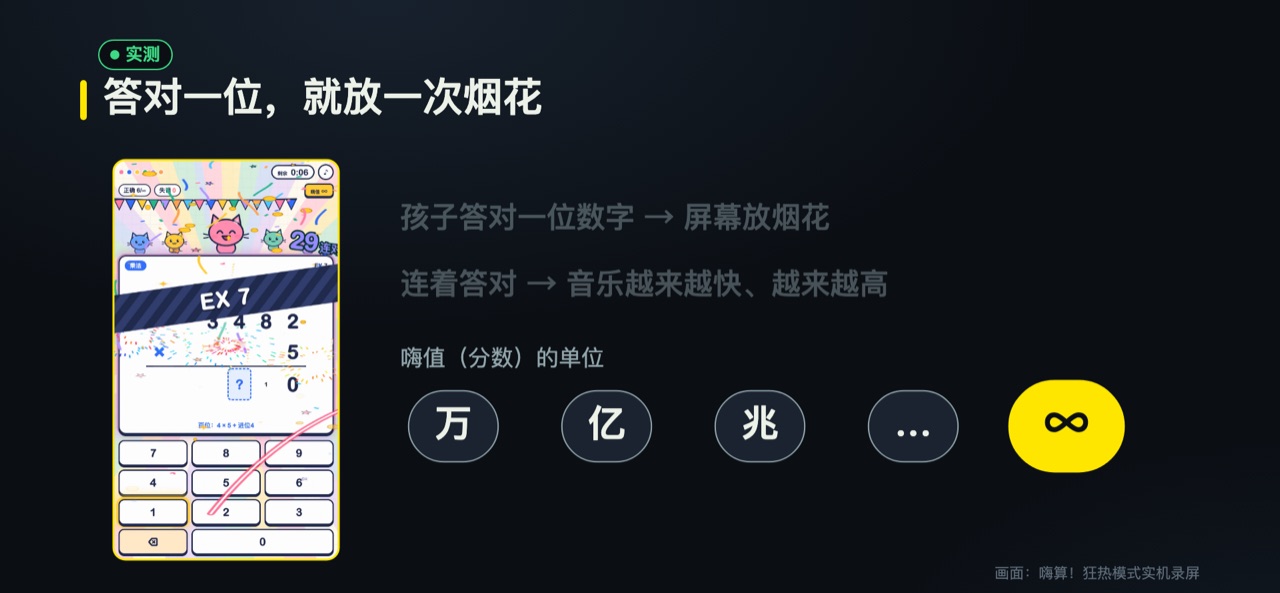
「嗨算!」 (roughly "Hype Math!") is a small web game that helps kids practice arithmetic. Every time a child gets a digit right, fireworks go off on the screen. Keep getting answers right, and the background music gets faster and higher. The score in the game is called 「嗨值」, which means something like "hype points." Its units grow from 万 to 亿, then to 兆, and finally it turns into ∞. (万, 亿 and 兆 are Chinese words for bigger and bigger numbers.)
The reason I made it is simple. The learning app my child uses looks like a Flash game from over ten years ago. That means the rough little games people used to play in web browsers back then. I wanted to give my child something more modern and more fun, so I handed the job to AI. From my first sentence to the AI until the game was live on my homepage, the whole thing took under 40 minutes.

First, I'll explain how the game was built, step by step, and how long each step took. Then I'll show where the AI made mistakes, and how it found them by itself. Finally, I want to talk with other parents: is practice with this many effects good or bad for kids?
1. How It Started: A Video on Twitter
This idea wasn't mine. On X (formerly Twitter), I came across a project by a Japanese user, @grmchn4ai. They posted a 53-second video showing a kids' math app made with AI. It's called 「ドパドリル」, which means "dopamine drills." Many thanks to this creator for the inspiration.
Here's how the original works. Kids get points for right answers. The effects get bigger with every question, and the score units keep inflating. With a perfect score, you enter a frenzy mode, which the original calls EX. The whole screen is loud and lively. It's a completely different world from the learning app my child uses.
The original was made with an AI model called Opus 5.5, and I happened to have the same model. I used a tool called Claude Code. It lets the AI read and write files and run commands directly on the computer. In other words, the AI doesn't just hand me some code in a chat window. It actually builds the thing itself.
I gave the AI just one sentence. I pasted the link to that tweet and added this:
Download this, and make a similar game based on what's in this video.
I didn't write a spec. I didn't draw a sketch. I wanted to see how far the AI could get with just one sentence.

2. The First Version: 13 Minutes
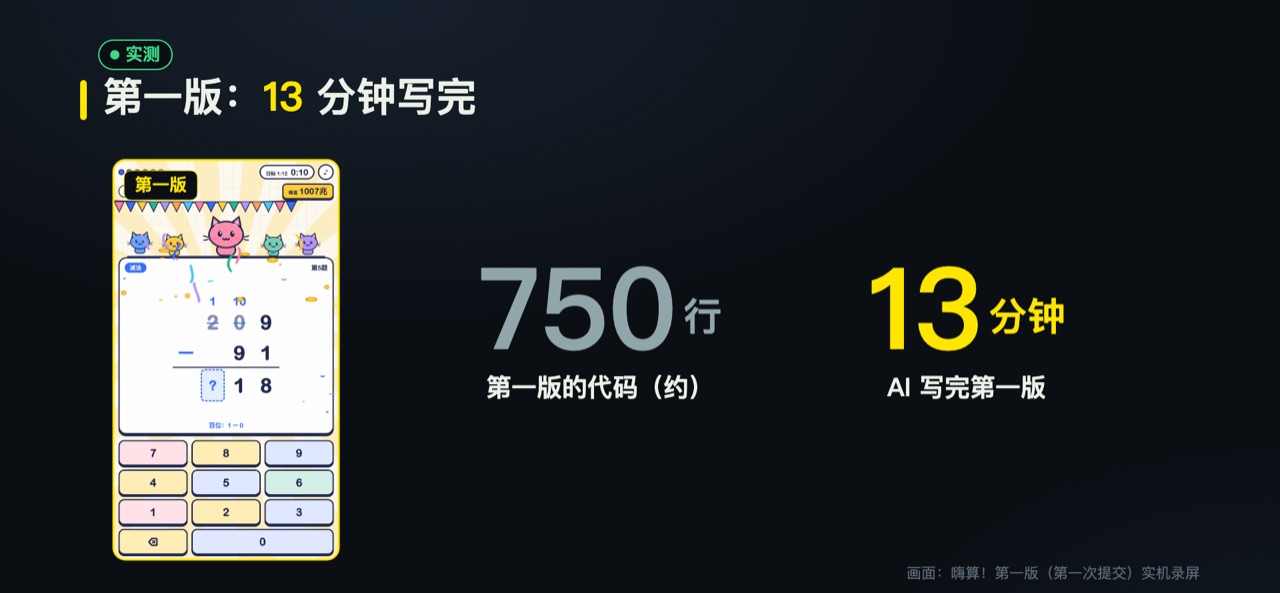
I sent that sentence at 14:49 on September 27, 2026. The AI delivered the first version at 15:02. That's 13 minutes. This version had about 750 lines of code.
The first thing the AI did was figure out the original. It downloaded the video and took a screenshot every 2 seconds. Then it put the screenshots together into one big image and read the rules of the game from it. It's a lot like watching someone else play a game and learning the rules as you go.
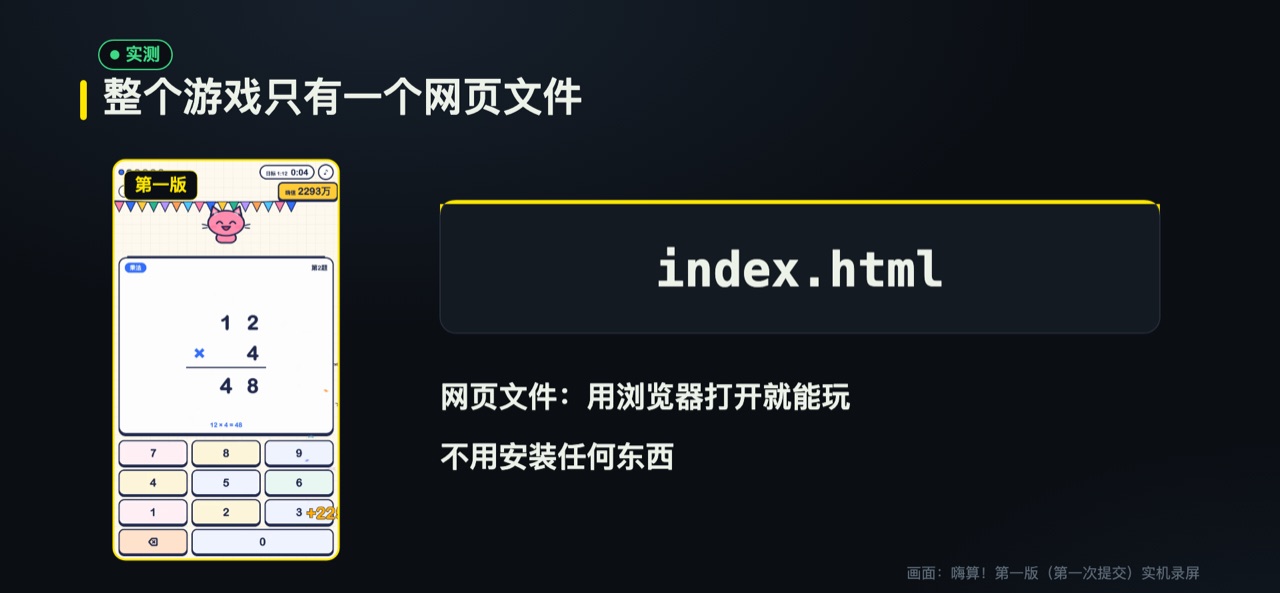
The whole first version was a single HTML file. HTML is the file format web pages use. A browser can open it and show what's inside. So there's nothing to install. Just open it in a browser and play. To share it, you only need to send that one file.
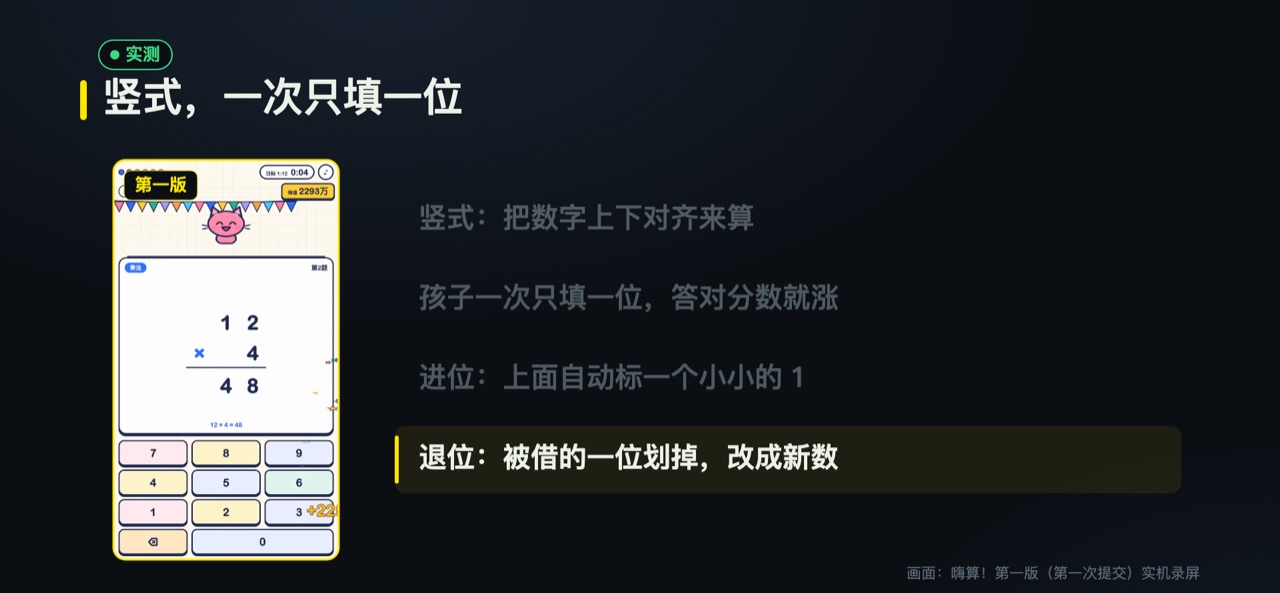
The problems are written vertically. That means the numbers are lined up on top of each other and worked out one digit at a time, just like in school textbooks. Kids fill in one digit at a time. They don't have to write the whole answer at once. So at every step, they know right away if they got it right.
Carrying and borrowing are both built in. Carrying happens in addition when a column reaches ten and adds one to the next column. When that happens, the game automatically puts a small 1 above it. Borrowing happens in subtraction when a column is too small and has to borrow from the next one. The digit being borrowed from gets crossed out, and the new number is written next to it.
The AI changed a few things on its own. The original's character was a mouse. The AI replaced it with a cat it drew itself. WebAudio is a sound feature built into browsers that can make sounds straight from code. All the sound effects are made live with it. The game doesn't use any sound files.
The score is called 「嗨值」 ("hype points"). Its units climb from 万 to 亿 to 兆, all the way up to 「无量大数」, the biggest of these Chinese number words. When frenzy mode ends, the score simply becomes ∞.
I made the rule for entering frenzy mode a bit easier than the original. The original requires every answer to be right. I changed it so that getting 80% or more right on the first try is enough. That way, a child can still get in after one mistake. Frenzy mode lasts 20 seconds, and ends when time is up.
3. One Request at a Time
Once the first version worked, I started adding requests one by one. I asked for one thing at a time. I waited for the AI to finish, tried it, and then asked for the next thing. That way, if something broke, I knew which step broke it. All of this happened on the same afternoon.
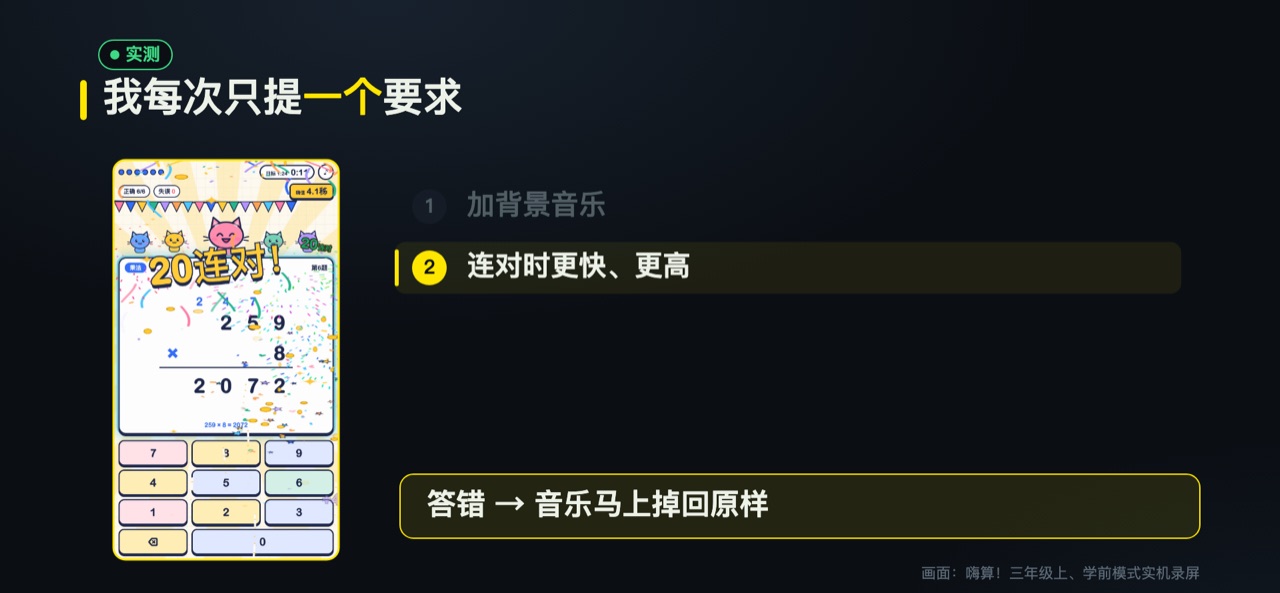
At 15:08, I asked the AI to add background music. It wrote a four-bar loop: C–Am–F–G. The more intense the effects, the more instruments join in, and the faster the beat.
BPM means beats per minute. The bigger the number, the faster the music. At 15:11, I asked for a streak speed-up. Every time a child gets another one right in a row, the music gets 4 BPM faster and goes up by a half step. It can go up at most 12 times, which is exactly one octave. One wrong answer, and the music drops straight back to normal.
In this step, the AI also added a few extras. When a child presses a key, a beam of light shoots toward the answer box. A streak counter appears on screen. At 5 right in a row, the card glows, and every 5-answer streak sets off a round of fireworks. The music keeps climbing, and one wrong answer drops it all back down. That makes kids care more than any hint could.
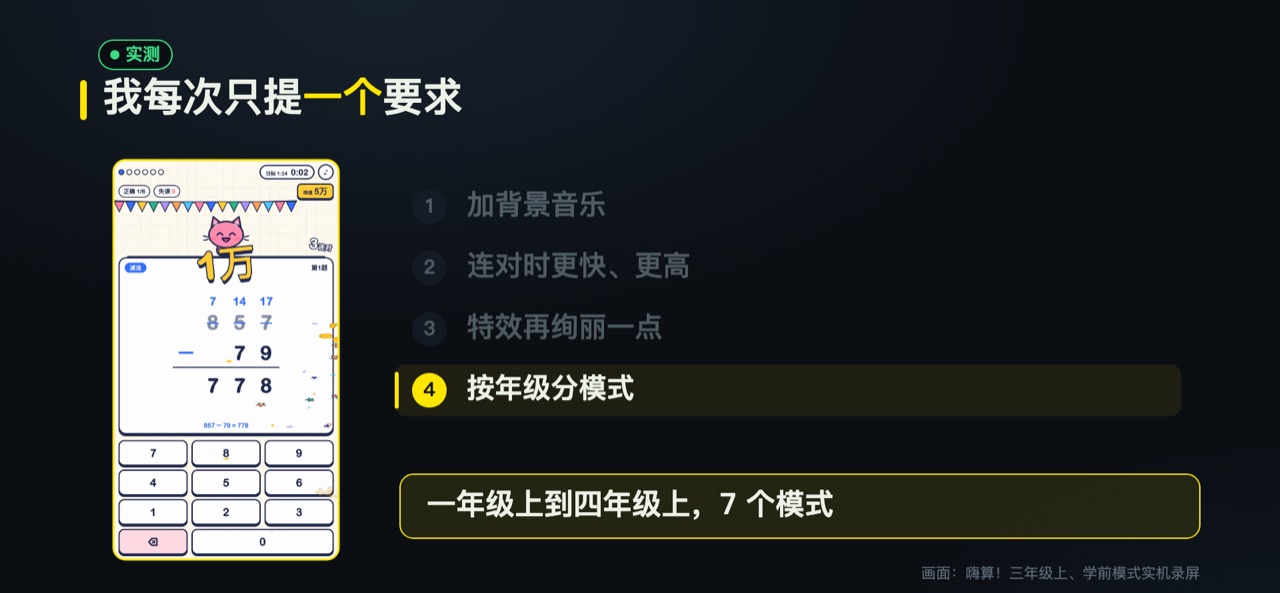
Then I asked the AI a question: are addition, subtraction, multiplication and division all finished by fourth grade? The AI checked against the PEP textbooks. PEP textbooks are published by People's Education Press and used by many schools in China. The AI confirmed that whole-number addition, subtraction, multiplication and division are all covered by the first half of fourth grade.
At 15:22, the AI finished the grade modes. From the first half of Grade 1 to the first half of Grade 4, there are 7 modes in total. From the first half of Grade 1 to the second half of Grade 2, it's mental math written in a single line, solved in your head. From the first half of Grade 3, it switches to vertical problems. Later modes include two-digit times two-digit multiplication, and division by two-digit numbers.
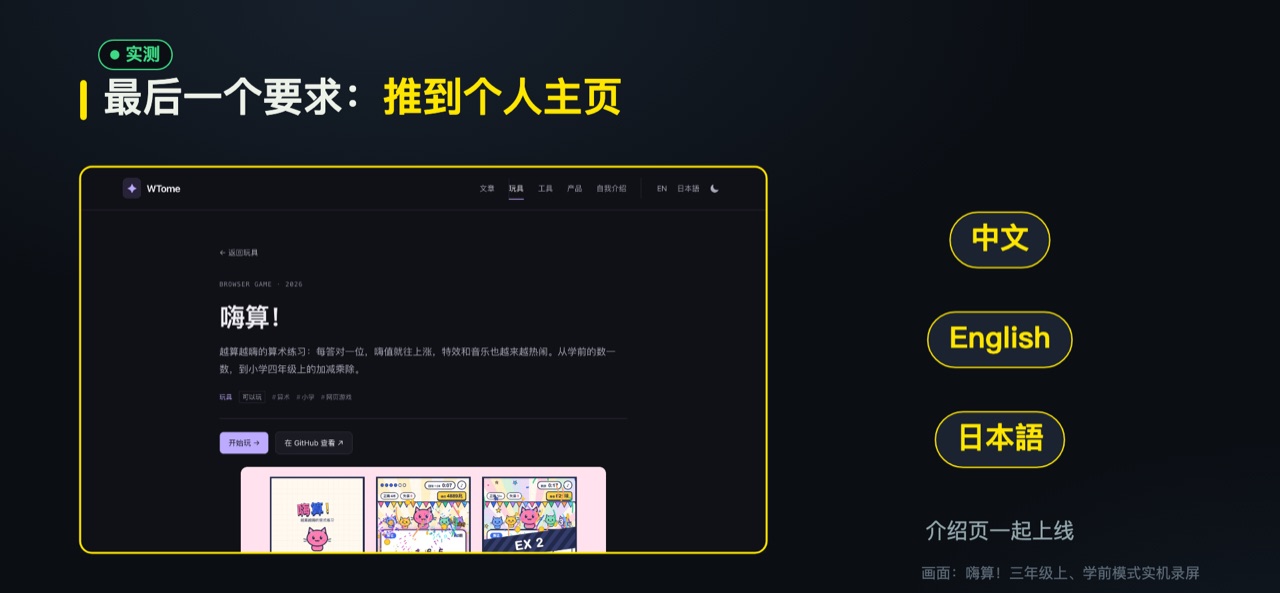
At 15:25, the AI pushed the game to my homepage, wtome.com. Intro pages in Chinese, English and Japanese went live together. From my first request at 14:49 to this moment was about 36 minutes. That's why I say "under 40 minutes."
Later, I thought about even younger kids. At 16:01, the AI added a preschool mode. Kids can count apples in pictures and do addition and subtraction within 10 with pictures. Even kids who can't read yet can play. At this point, the game had 8 modes, and the file was about 1000 lines.
The game is open source under the MIT license. Open source means the code is public. Anyone can read it and change it. MIT is one of the most relaxed sets of rules for this. The code is at github.com/DDnim/hisuan. The game is at wtome.com/play/hisuan. Just open it and play.
4. Three Times the AI Got It Wrong
Fast doesn't mean flawless. The game had three mistakes along the way. The interesting part is that I didn't find any of them. The AI found all three and fixed them itself. I'll explain how it found them in the next section. First, here's what went wrong.
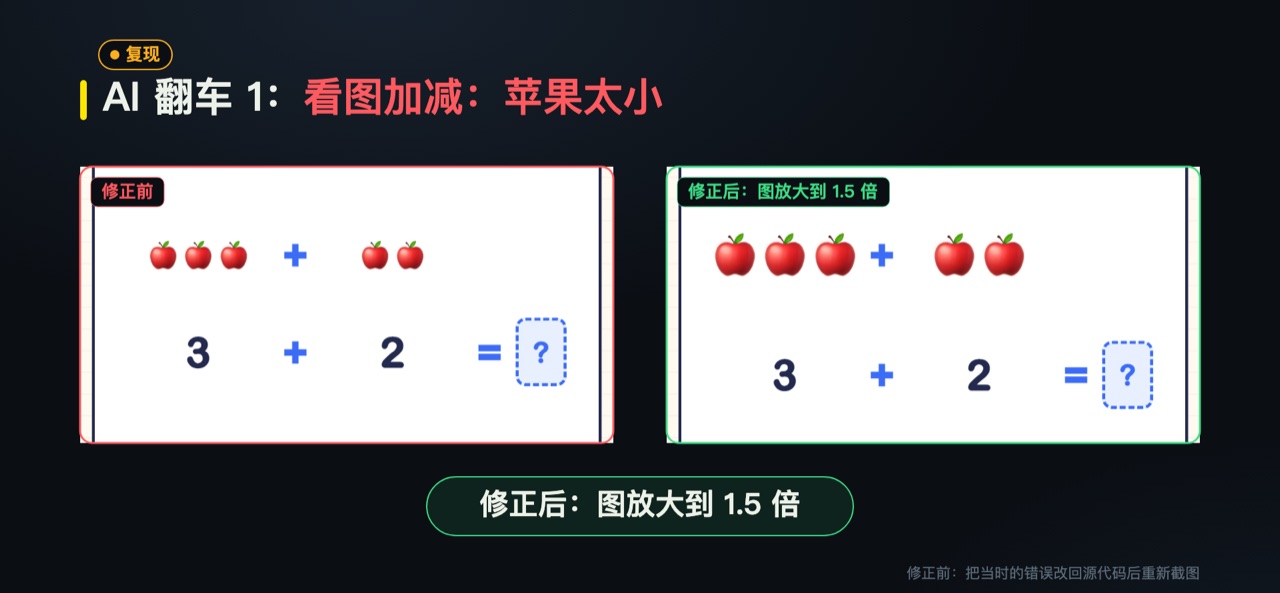
The first mistake was in preschool mode. In the picture addition and subtraction problems, the apples were drawn too small. It was hard for kids to count them. For a child just learning to count, if you can't count the apples, you can't do the problem. The AI made the pictures 1.5 times bigger.
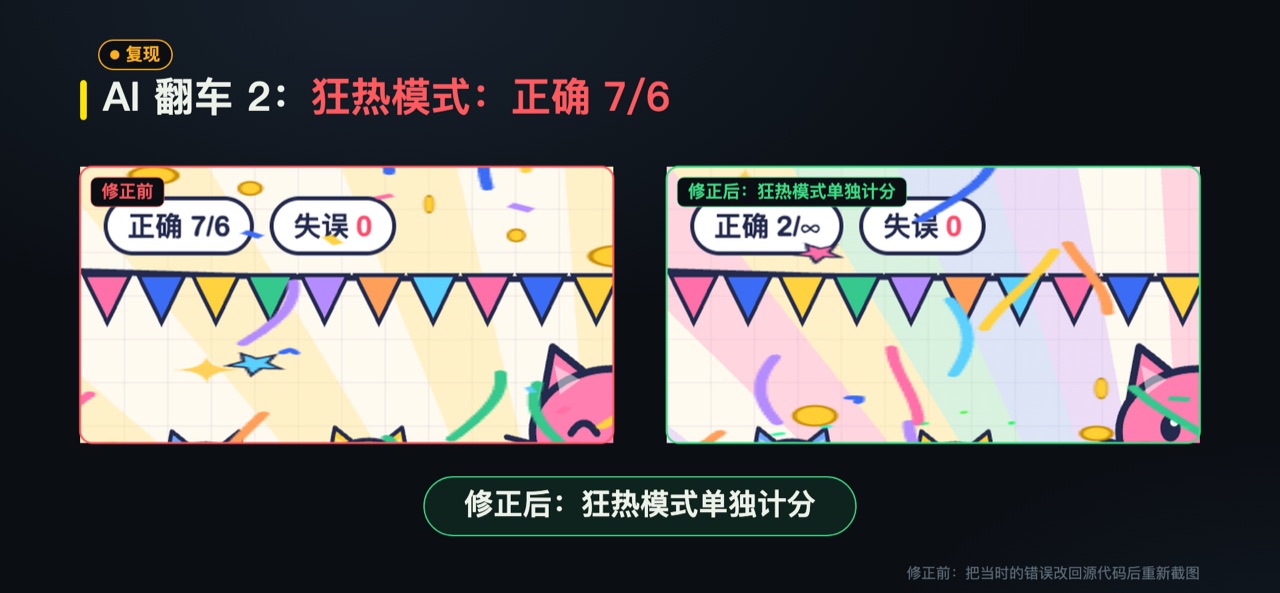
The second mistake was harder to spot. Right at the moment frenzy mode ran out of time, a child finished a problem. That problem was counted in the previous round's score. The screen showed "Correct 7/6." But that round only had 6 problems. The AI changed it so nothing is scored after time is up, and frenzy mode is scored separately.
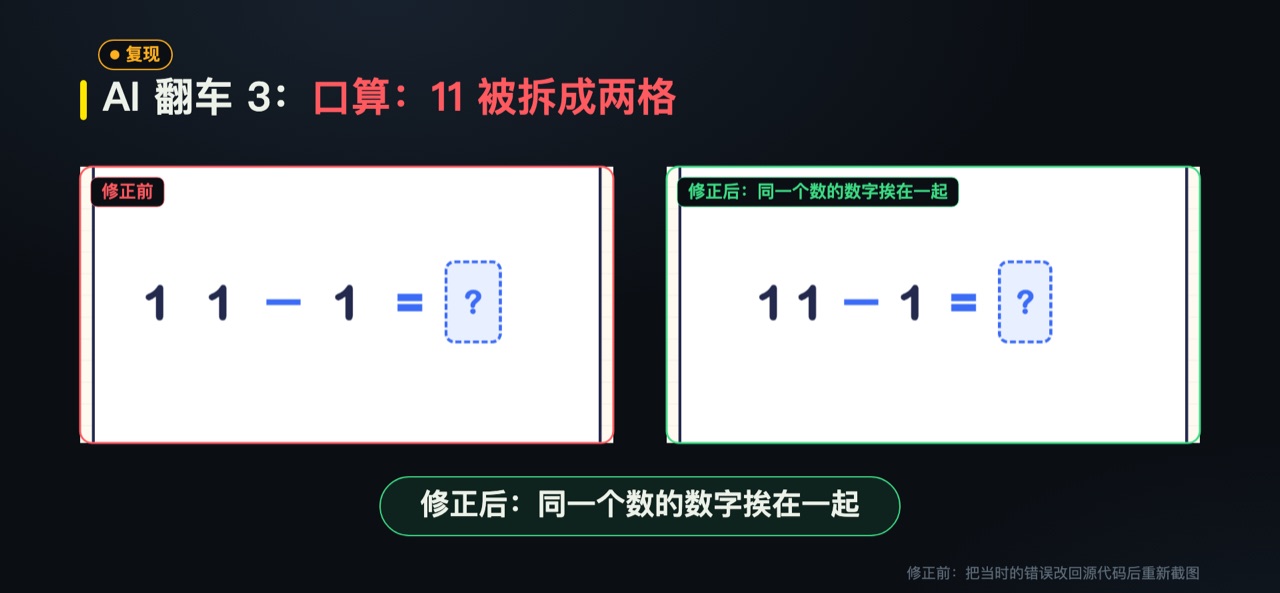
The third mistake was in the mental math problems. Each digit sat in its own box, so "11 − 1" looked like three separate numbers. An adult can guess what it means, but a child can easily get confused. The AI put the digits of the same number next to each other.
5. It Plays, Checks and Fixes on Its Own
The AI found these three problems using a headless browser. A headless browser is a browser with no visible window. It can still open web pages and click buttons. It just doesn't show anything on the screen. The AI used headless Chrome, which is Chrome running in this mode.
The AI used it to play the whole game from start to finish. It took screenshots as it played, then looked back at them to find what was wrong. Once it found a problem, it fixed the code, then played again to make sure.
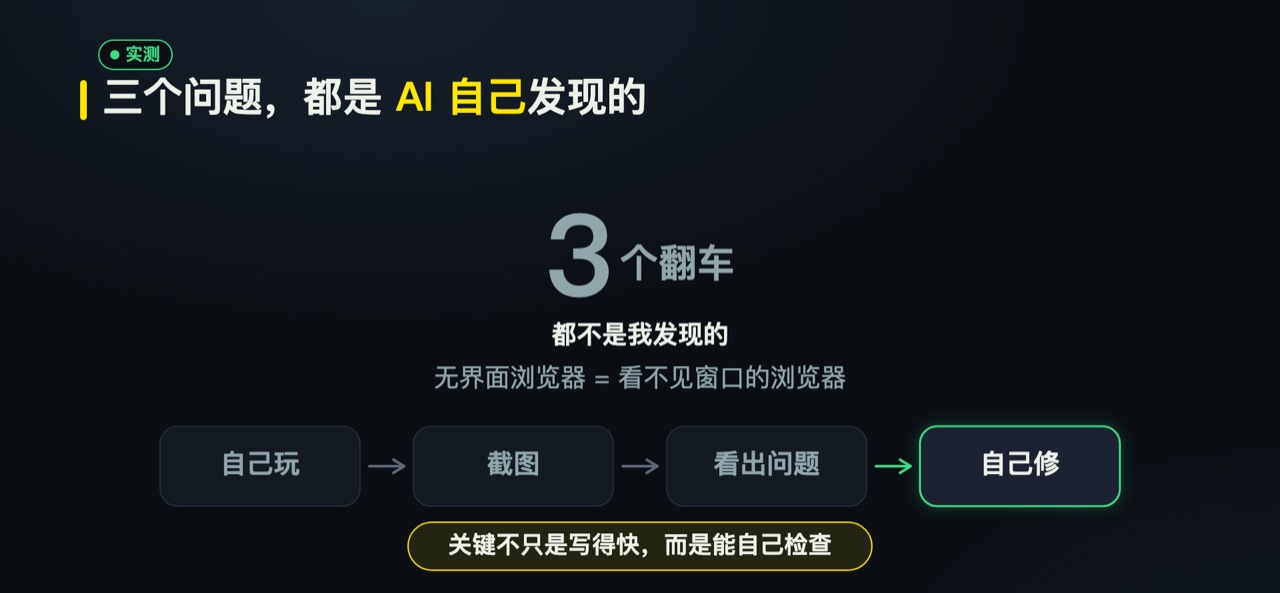
This changed how I think about AI writing code. I used to think AI's strength was writing fast. But what really saved me effort this time was that it could play the game like a tester. The key to AI writing code isn't just writing fast. It's being able to play, look and fix things on its own.
For parents who don't write code, this matters even more. You don't need to understand the code. You don't have to hunt for every problem yourself. You just need to say clearly what you want, and the AI can do a lot of the checking first. Of course, it's still worth sitting down and playing it with your child yourself.
6. Are Over-the-Top Effects Good for Kids?
After the game was done, one question stayed with me. Is such noisy practice really good for kids? Are they falling in love with math, or just with the fireworks?
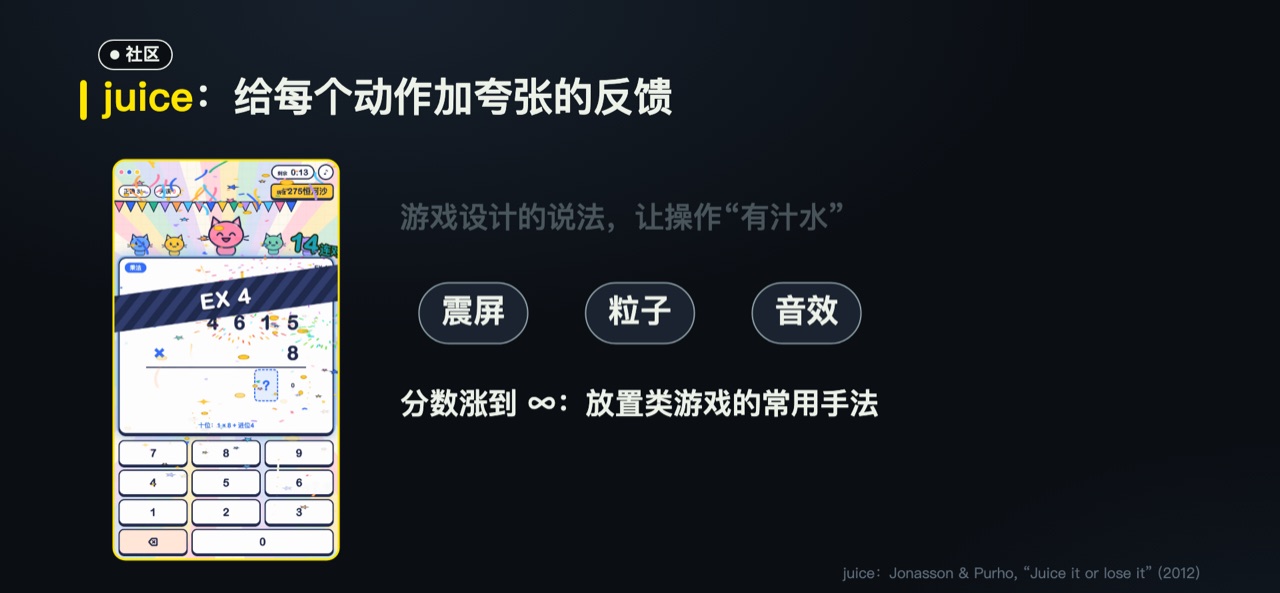
Game design has a word for this: juice. It literally means juice, but here it means adding extra flavor to a game. The idea is to give every small action big, exaggerated feedback, so people want to keep pressing. Common examples are screen shake, particles (little specks of light that burst across the screen) and sound effects. The term comes from a 2012 talk called "Juice it or lose it." 嗨算! setting off fireworks for every right digit is classic juice.
A score that climbs all the way to infinity has a history too. Idle games are games where you barely have to do anything, and the numbers keep going up on their own. Lots of mobile games work this way. Making the numbers keep growing is a common trick these games use to keep people playing. Hype points going from 万 to ∞ uses exactly this trick.
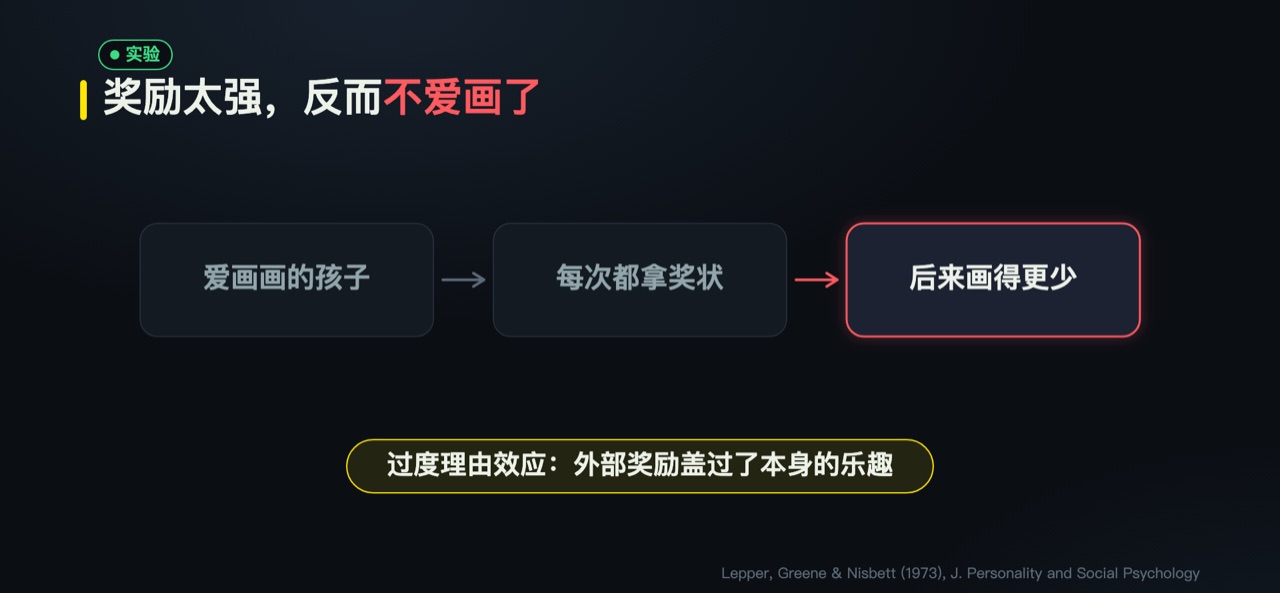
These tricks work well. But there's a psychology experiment parents should know about. In 1973, psychologists worked with a group of kindergarten children who already loved drawing. Some of the children were told in advance that they would get a certificate for drawing, and they really did get one. Later, during free play time, these children actually drew less.
This is called the overjustification effect. When something is already fun, but the outside reward is too strong, a child starts to feel they're doing it for the reward. When the reward stops, the original fun goes away too. For math, if a child only does problems for the fireworks and the ∞, their interest may fade once they're tired of the effects.
So here's my view. Effects are useful, but they need to be in the right place. Effects work well as a hook at the start, to make kids willing to begin. What actually helps kids improve is the learning system that comes after. The hook gets kids to sit down. The system helps them actually learn.
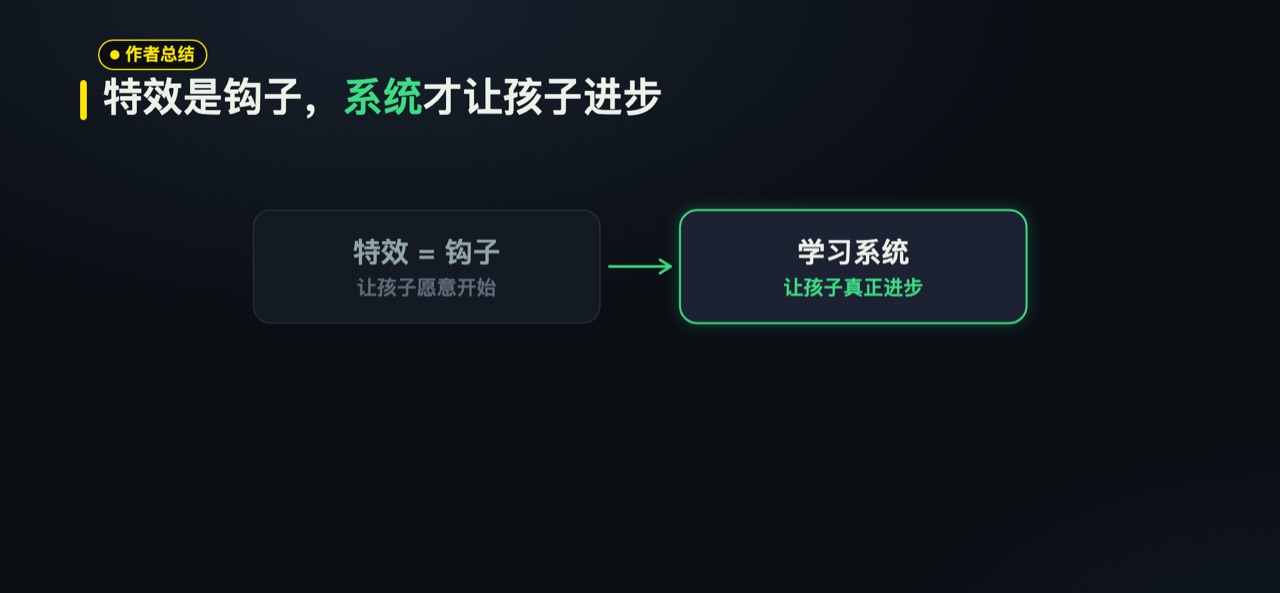
I think a learning system needs at least these things:
- Topics come in order, and the next step unlocks only after the current one is learned.
- Problems a child got wrong come back a few days later, so they really stick.
- Parents can see where their child is stuck, so they know where to help.
By this standard, 嗨算! has only done the first half. Right now 嗨算! is only a hook. The learning system isn't built yet. It does get kids to open it and do a few more problems. But it doesn't remember where a child made mistakes, and it can't tell parents where their child is stuck.
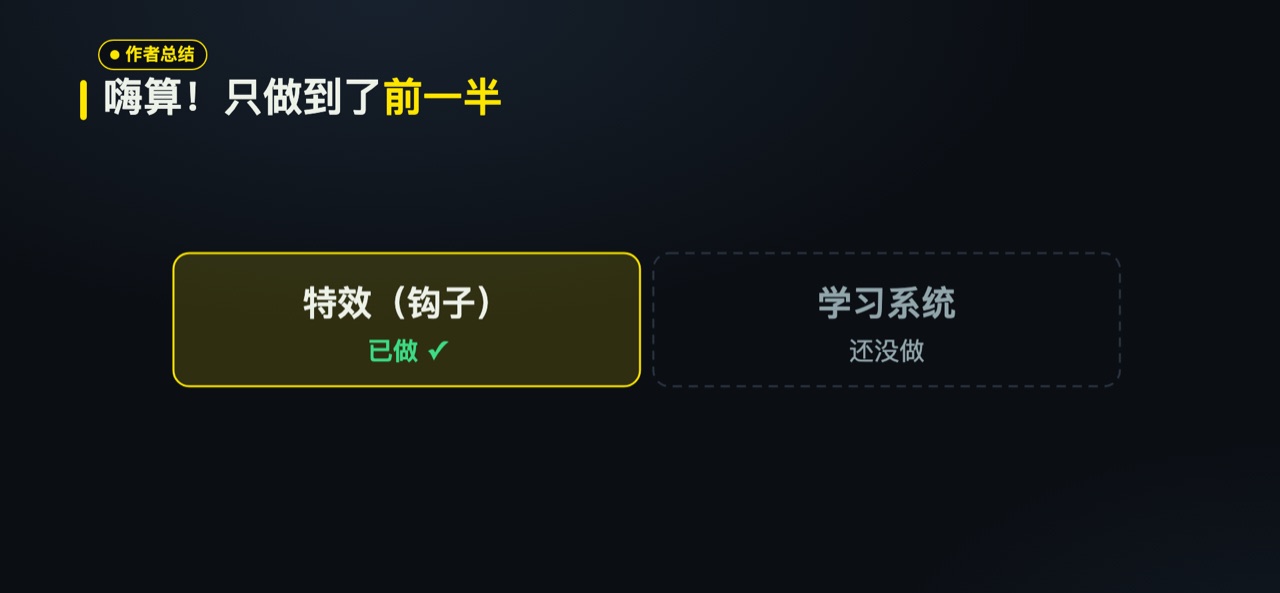
I'm not planning to take the effects out. For a child who doesn't love math yet, just being willing to sit down is already a big deal. What comes next is the learning system behind the hook, so the effects can slowly move into a supporting role.
7. Final Thoughts
Looking back on those under 40 minutes, my biggest takeaway is that making something fun isn't hard anymore. One sentence plus a few follow-up requests, and AI can build a game ready to go live. It can even play and fix it on its own. The hard part is figuring out what kids really need.
I'd love to hear from other parents. What is your child's learning app like? Do you think practice packed with effects is good or bad for kids? Let's talk on X.
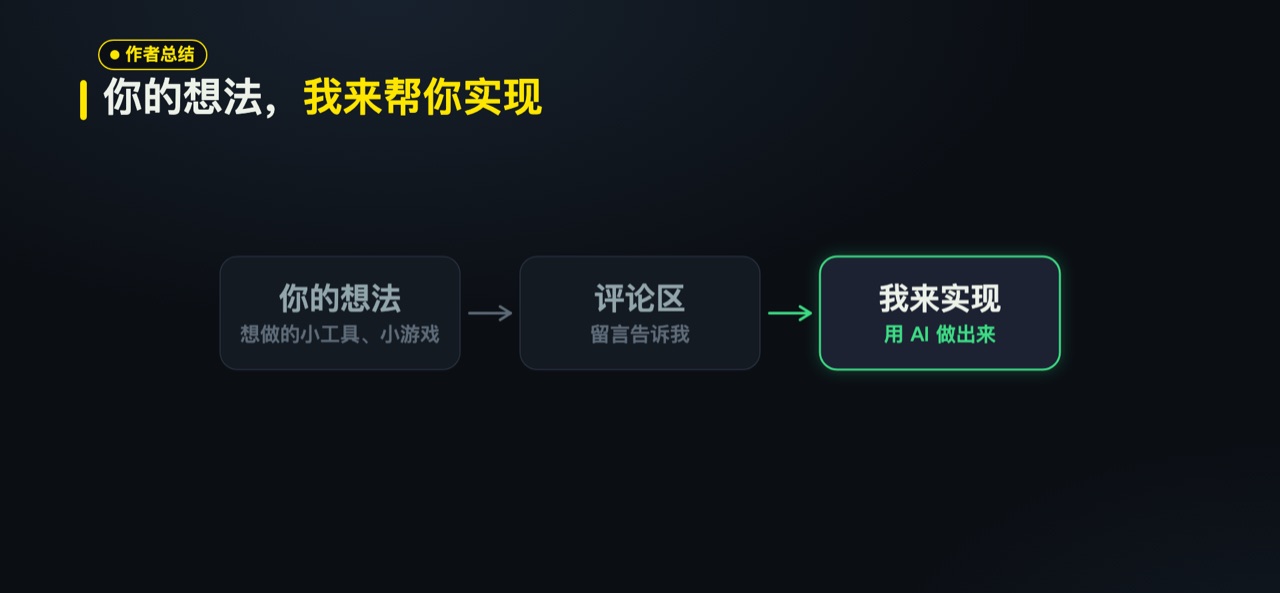
Also, if you have a small tool or game you'd like to make, tell me on X. Share your idea, and I'll build it for you.
If you want to try it first, the game is at wtome.com/play/hisuan and runs in mobile and desktop browsers. The code is open source under the MIT license at github.com/DDnim/hisuan.
References:
- Original video: x.com/grmchn4ai/status/2103807453406388538
- Lepper, Greene & Nisbett (1973), Journal of Personality and Social Psychology
- Jonasson & Purho, "Juice it or lose it" (2012)
- Code: github.com/DDnim/hisuan
- Game: wtome.com/play/hisuan
Game page: 嗨算!. Inspired by @grmchn4ai’s “ドパドリル”. Thanks again to the original creator.