CHROME EXTENSION · 2026
NotebookLM Quick Capture
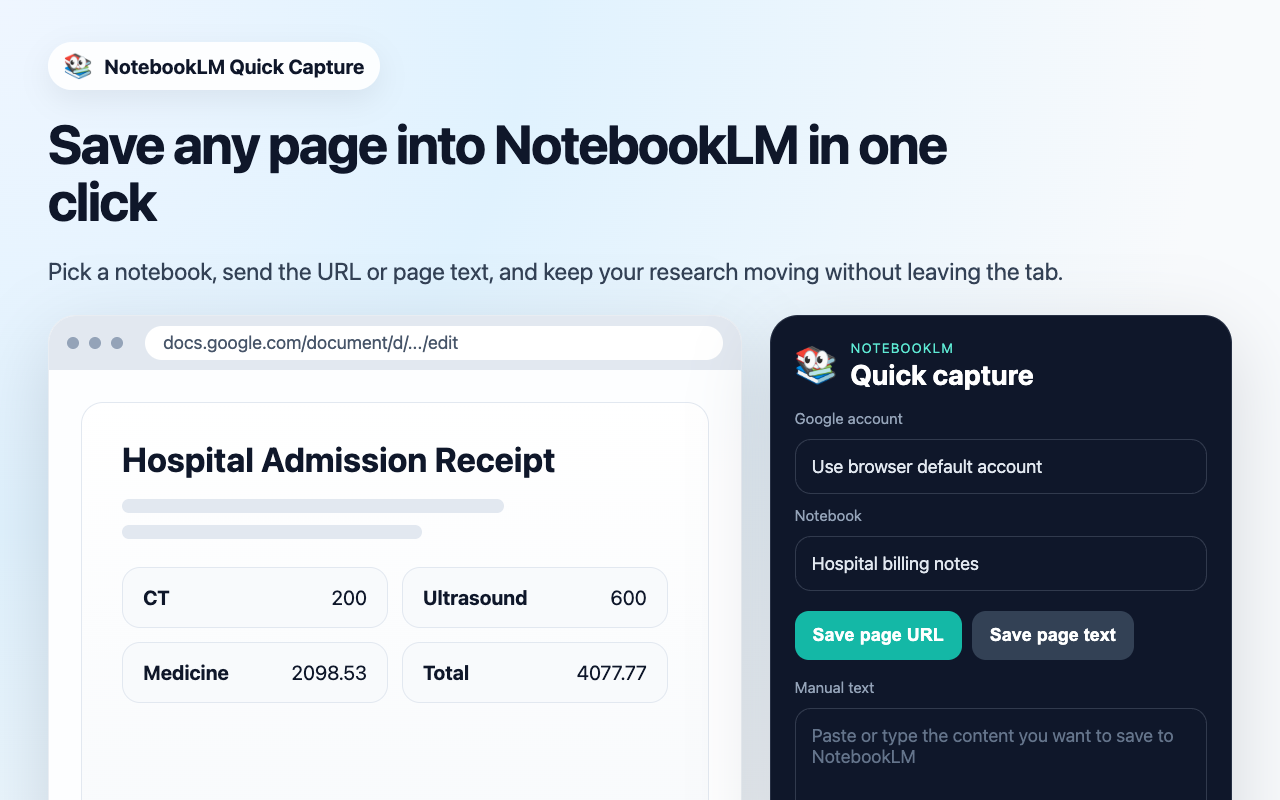
Save any page into NotebookLM in one click. Pick a notebook, send the URL or page text, and keep your research moving without leaving the tab.
About this tool
When conducting research, reading papers, or compiling reference material with Google NotebookLM, constantly switching between tabs breaks focus.
NotebookLM Quick Capture solves this friction: click the extension to save the current page URL or extracted text directly into your chosen notebook, keeping your research workflow completely uninterrupted.
Key Features
- One-Click URL & Text Capture: Save the current page as a URL source or send the page body text directly into your notebook.
- Target Notebook Selection: Pick and remember your target notebook with ease, keeping notes organized without leaving the page.
- Stay in the Flow: Complete captures inside the popup window without disrupting your reading and browsing context.
- Seamless Account Integration: Works natively with your default Google account in Chrome.
- Platform
- Chrome Web Store
- First Release
- 2026
- Type
- Manifest V3 Browser Extension
- Compatibility
- Chrome / Chromium Browsers
- Author
- Tushu
- Status
- Published on Chrome Web Store
Published and available now on the Chrome Web Store. Install from Chrome Web Store ↗